
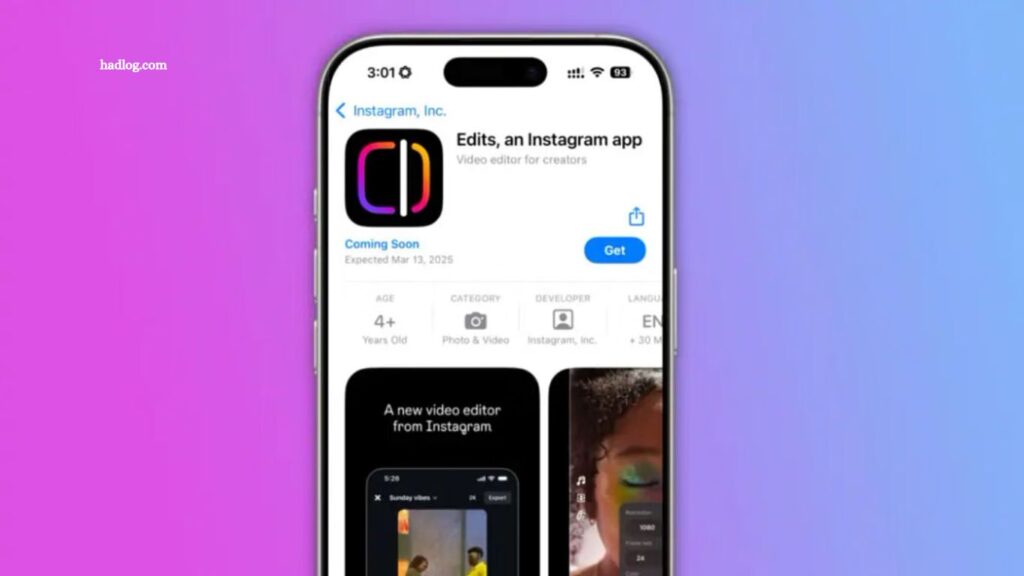
Imagine turning your smartphone into a professional video studio. Meta, the company behind Facebook and Instagram, makes this possible with its new app, Edits. More than a typical editing tool, Edits transforms how creators tell stories in a visually driven world. With AI-powered enhancements and seamless platform integrations, it equips creators, influencers, and small businesses with professional-grade editing tools right on their phones. In a crowded market. Could it be the game-changer that boosts your content’s reach, or just another app competing for attention? Either way, Meta’s entry into video editing is capturing widespread attention.
Why Meta’s Edits Is Making Waves
Meta’s Edits app delivers professional-quality video editing in a simple, user-friendly package. Built for the rise of short-form content, it empowers creators to produce polished videos without technical expertise. With AI-driven tools such as automated editing suggestions, voice-to-text captions, and seamless music syncing Edits makes video creation intuitive for both beginners and experienced creators.
Read More: Meta Invests €12 Billion in Scale AI and Brings on Its Co-Founder
Top Features That Make Meta’s Edits a Game-Changer
- Voice and Gesture Controls: Hands-free functionality lets creators manage key editing tasks on the go.
- AI-Powered Editing: Automatically analyzes footage and suggests cuts, effects, and enhancements.
- Cross-Platform Integration: Seamlessly syncs with Instagram, Facebook, and WhatsApp for effortless sharing.
- Professional Filters and Effects: Offers cinematic-quality filters optimized for social media content.
- Collaboration Mode: Enables real-time teamwork, allowing multiple users to edit from different locations.
How Meta’s Edits Stands Out From Competitors
- Edits vs. CapCut: While CapCut emphasizes trendy effects, Edits focuses on AI-powered automation and seamless Meta platform integration, offering creators an all-in-one solution.
- Edits vs. Adobe Premiere Rush: Adobe Premiere Rush caters to semi-professionals but can overwhelm casual users. Edits provides powerful features within an intuitive, beginner-friendly interface.
- Edits vs. InShot: InShot offers many features but lacks direct social media integration. Edits’ connection with Instagram and Facebook gives creators a clear advantage for fast, shareable content.
Why Creators Should Download Meta’s Edits Today
In today’s fast-moving social media landscape, speed is essential. Meta’s Edits leverages AI-powered tools and real-time sharing to help creators respond quickly to trends, boosting engagement and visibility. Whether producing viral TikToks, polished brand campaigns, or professional ads, Edits adapts to every need, empowering influencers and small businesses to stand out in competitive digital spaces.
Challenges and Areas for Improvement
While Meta’s Edits offers powerful tools, early users have noted occasional glitches in real-time collaboration and the absence of offline editing options. Given Meta’s history of regular updates, these issues are likely to be addressed in future releases, enhancing the app’s performance and reliability.
Unpacking Edits: More Than a Video Editor
Instagram head Adam Mosseri describes Edits as a complete suite of creative tools for mobile video creators. Key features include:
- In-Depth Analytics: Detailed insights for Instagram videos to track performance and engagement.
- Advanced Video Editing: Comprehensive tools to craft and polish content.
- Enhanced Camera Functionality: Superior camera features for high-quality capture.
- Inspiration Hub: A curated section of trending audio and creative prompts to spark ideas.
- Idea and Draft Management: Organize personal concepts and drafts for future projects.
- Collaborative Draft Sharing: Enables seamless teamwork among creators.
Tailored for Dedicated Mobile Video Creators
Adam Mosseri highlights that Edits is designed for creators focused on mobile video production, setting it apart from casual editing apps. By excluding templates, the app emphasizes originality and professional-grade content. Optimized solely for mobile, Edits currently has no desktop version, making it less ideal for long-form content like full-length YouTube videos.
Anticipated Release and Accessibility
The Edits team has been working closely with select creators to refine the app and plans to expand access soon.
- iOS Availability: Users can preorder now, with full release expected next month.
- Android Availability: An Android version is in development and will launch shortly after iOS.
Mosseri notes that the initial release will be a work in progress, with continuous updates planned post-launch. With its advanced features and Meta’s innovative approach, Edits has the potential to transform mobile video creation for creators.
Frequently Asked Questions
What is Meta’s Edits?
A mobile app that provides professional-grade video editing tools with AI-powered features.
Which platforms is Edits available on?
Currently on iOS, with Android launching shortly after.
Do I need prior editing experience?
No Edits is designed for both beginners and experienced creators.
Can I collaborate with others on Edits?
Yes, the app includes real-time collaborative editing features.
Does Edits offer templates?
No, the app focuses on originality and professional-grade editing without templates.
Can I edit videos offline?
Offline editing is not yet available but may be included in future updates.
Is Edits suitable for long-form content?
It’s optimized for mobile videos and short-form content, not full-length productions.
Conclusion
Meta’s Edits is redefining mobile video creation, offering AI-powered tools, seamless social media integration, and professional-grade features in a single app. Tailored for creators, influencers, and small businesses, it empowers users to produce polished, original content quickly and efficiently. While early challenges exist, Meta’s commitment to updates and innovation suggests that Edits could become an essential tool for anyone serious about mobile video production.
